What is Other Features?
Beyond income and expense tracking, Money Manager is packed with utility tools that make your financial life easier every day. Bookmark important transactions for quick reference, perform instant calculations without leaving the app, switch between hundreds of global currencies with a single tap, protect your data with a 4-digit passcode, schedule daily reminders to keep tracking habits consistent, configure detailed app behavior through the settings panel, choose between System, Dark, and Light themes, and set your preferred work week start day. These features are designed to make the app feel truly complete and adapted to your lifestyle.
Every Detail, Your Way. From dark mode to passcode lock, from weekly calendar start to multi-currency support — Money Manager's additional features let you configure every aspect of the experience exactly the way you want it.
Feature Highlights
See all the amazing capabilities in action:
Bookmarked Transactions
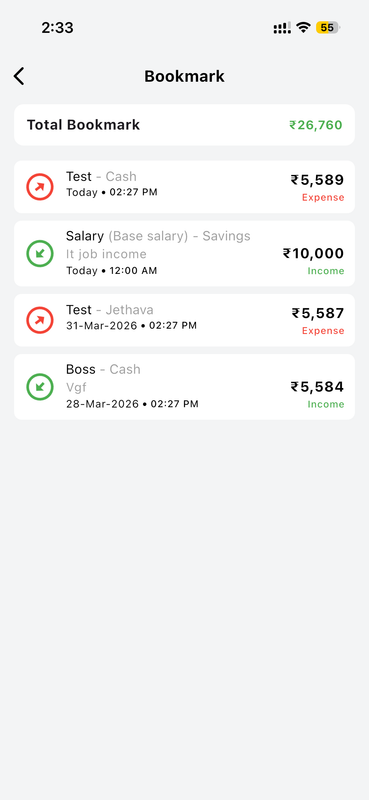
The Bookmark feature in Money Manager lets you flag and save important transactions for quick future reference. Whether it's a recurring large payment, an unusual expense you want to monitor, or an income entry you need to revisit, bookmarked items are collected in a dedicated list sorted by date. Each bookmark shows the transaction amount, category, account, timestamp, and type — Income or Expense — with color-coded labels for instant recognition. A running Total Bookmark figure at the top shows the combined value of all your bookmarked entries, helping you keep track of the transactions that matter most to you at a glance.
Built-in Standard Calculator
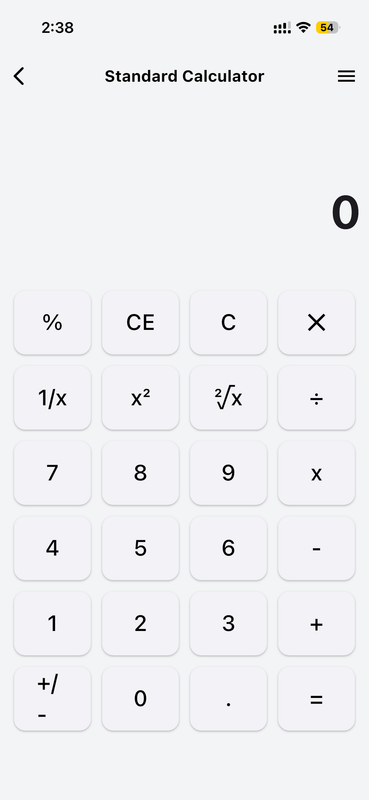
Money Manager includes a fully functional Standard Calculator so you can perform quick calculations without ever switching to another app. The calculator supports all essential operations — addition, subtraction, multiplication, and division — as well as advanced functions like percentages, square roots, squares (x²), and reciprocals (1/x). The clean, minimal design fits perfectly with the rest of the app's interface. Whether you need to split a bill, calculate a tip, verify a reimbursement amount, or quickly check a budget figure, the built-in calculator is always just a tap away from the Tools section whenever you need instant number-crunching power.
Multi-Currency Support
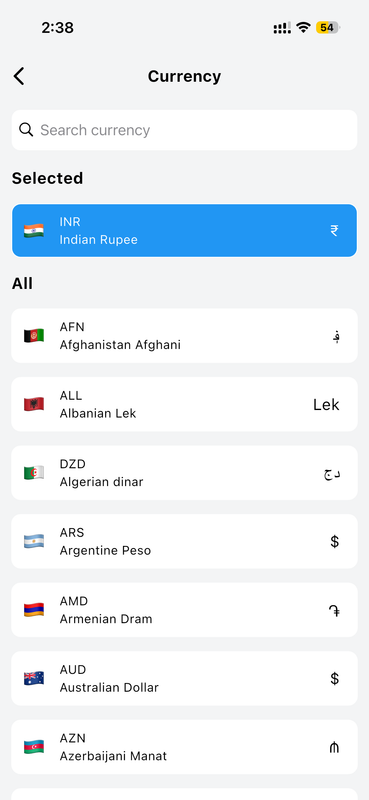
Money Manager supports a comprehensive list of global currencies, allowing you to set your preferred currency for all transactions and displays across the entire app. Simply open the Currency screen, search for your currency by name or code, and select it — your choice is applied immediately throughout every screen. Whether you use Indian Rupee (INR), US Dollar, Euro, Australian Dollar, or currencies from Afghanistan, Albania, Algeria, Argentina, Armenia, Azerbaijan, and many more countries worldwide, the app adapts seamlessly to your local financial context. This is especially useful for travelers, international workers, or anyone managing finances in multiple currencies.
Complete Settings Menu
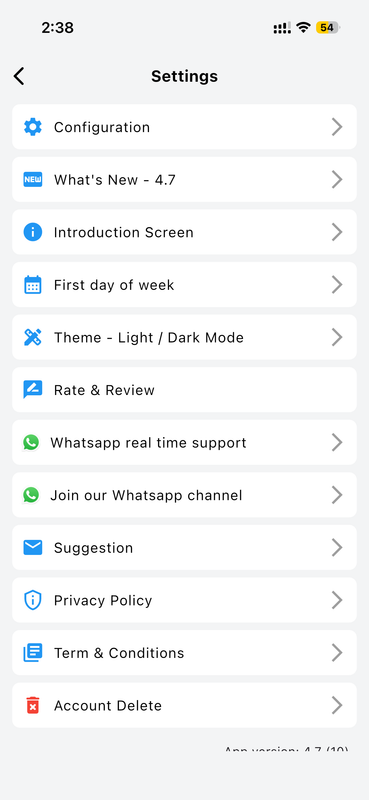
The Settings screen in Money Manager serves as your central control hub for the entire app experience. From here you can jump to Configuration for detailed behavior settings, check What's New for the latest version updates (currently version 4.7), revisit the Introduction Screen, set your First Day of Week, switch between Light and Dark themes, Rate & Review the app, reach support via WhatsApp real-time assistance or join the official WhatsApp channel, submit a Suggestion, read the Privacy Policy and Terms & Conditions, or permanently delete your account. Everything you need to manage your experience is clearly organized in a single, accessible location.
Passcode Security Lock
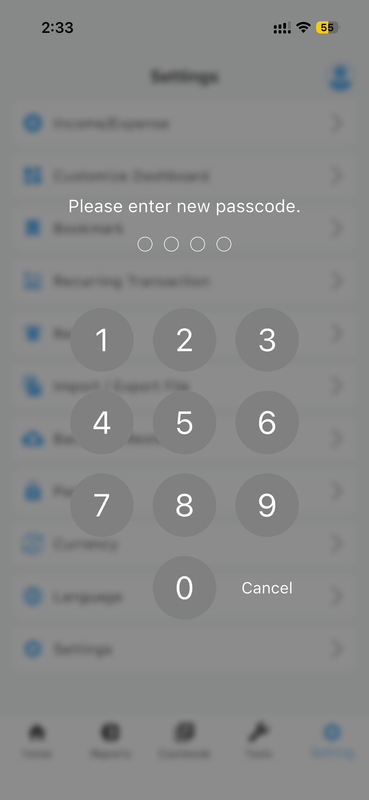
Protect your financial privacy with Money Manager's built-in passcode security feature. When enabled, a 4-digit passcode screen appears whenever you open the app or return to it from the background, preventing unauthorized access to your sensitive financial data. Setting up a passcode is simple — navigate to Settings, enable the passcode option, and enter your chosen 4-digit PIN using the clean numeric keypad. This is especially important if you share your device with others or simply want an added layer of confidence that your income, expenses, account balances, and transaction history remain completely private and secure from anyone else at all times.
Smart Daily Reminders
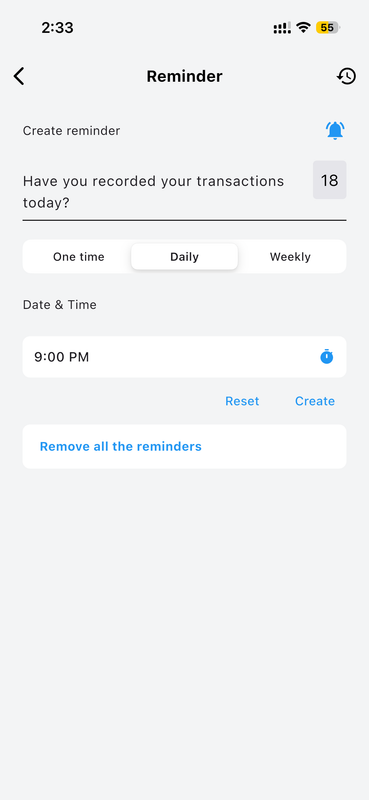
Never skip a day of financial tracking with Money Manager's built-in Reminder system. You can create custom reminders that prompt you to record your daily transactions at the exact time that best fits your personal routine. Choose from One-time, Daily, or Weekly reminder frequencies — for example, set a Daily reminder at 9:00 PM so reviewing your finances becomes a natural evening habit. The reminder message is pushed as a notification to your device screen. View or delete past reminders using the history icon in the top corner of the screen, and remove all active reminders instantly with a single tap on "Remove all the reminders" when needed.
Advanced App Configuration
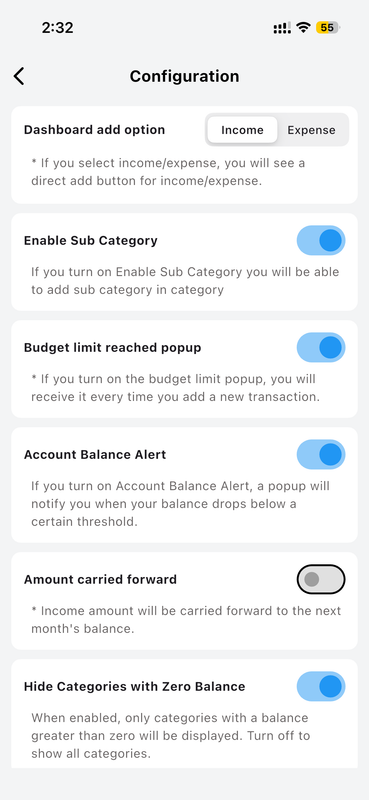
The Configuration screen gives you fine-grained control over how Money Manager behaves every day. The Dashboard Add Option lets you choose whether tapping the main action button directly adds an Income or Expense entry. Enable Sub Category to organize transactions with two-level categorization for deeper analysis in your reports. Turn on Budget Limit Reached Popup to receive an instant alert whenever you exceed a budget limit you've set for any category. The Account Balance Alert notifies you when any account falls below a minimum threshold. Amount Carried Forward determines whether income rolls over into the next month, and Hide Categories with Zero Balance keeps your reports clean and focused.
Theme Selection — Light, Dark & System
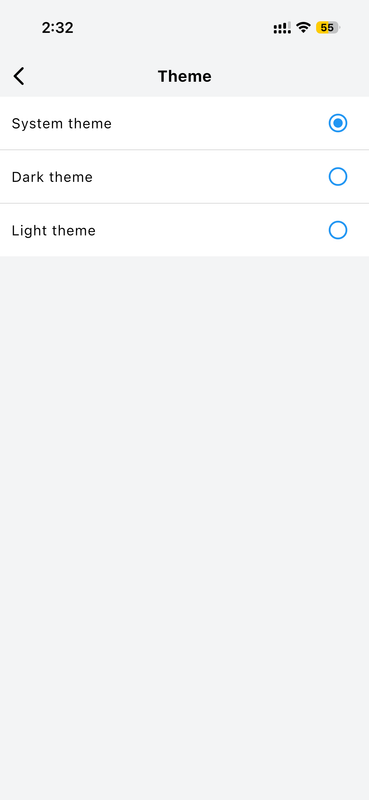
Money Manager supports three display theme options to suit your visual preference and environment throughout the day. System Theme automatically matches your phone's current appearance setting — switching to dark mode at night if your device does the same, so the app always looks right. Dark Theme applies a dark background throughout the entire app, reducing eye strain in low-light conditions and saving battery life on OLED screens. Light Theme keeps the classic bright white background for maximum clarity in well-lit environments. Switching themes is instant — just open Settings, navigate to Theme, tap your preferred option, and the entire app updates immediately without any restart required.
First Day of Week Setting
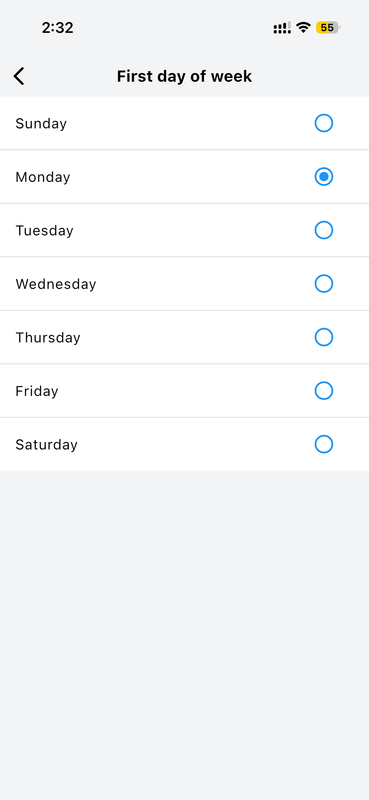
Money Manager lets you set your preferred starting day for the weekly view, ensuring that weekly reports and calendar layouts align precisely with your personal or professional schedule. The available options cover every day of the week: Sunday, Monday, Tuesday, Wednesday, Thursday, Friday, and Saturday. For example, if your work week begins on Monday — as is standard in many countries — selecting Monday ensures all weekly summaries, budget tracking periods, and calendar views start from Monday and display data in the order that feels natural to you. This small but meaningful setting makes the app's weekly analysis genuinely useful and contextually accurate for how you actually think about your week.
How to Use These Features
-
Open Settings Tap the Settings icon in the bottom navigation bar to access all configuration, theme, currency, reminder, and security options.
-
Choose a Feature to Customize Select any option such as Theme, Reminder, Currency, or Configuration to customize that aspect of the app to your preference.
-
Apply Your Preferences Make your changes — they are saved and applied immediately throughout the entire app without requiring a restart.
-
Use Bookmarks While Viewing Transactions While viewing any transaction in Reports or History, tap the bookmark icon to save it for quick reference from the Bookmark screen.
-
Access the Calculator from Tools Open the Tools tab in the bottom navigation and tap Calculator for instant in-app calculations without ever leaving Money Manager.
Why You'll Love It
The additional features in Money Manager transform it from a simple tracker into a complete financial companion. Security with passcode lock, global reach with multi-currency support, convenience with the built-in calculator, personalization with themes and weekly settings, and productivity with smart reminders — every detail is thoughtfully designed for people who take their finances seriously.
Combined with Money Manager's real-time sync and cloud backup, these tools ensure the app works exactly the way you need it to, every single day — always available, always accurate, and always yours.